Nix Toolkit app feature:

Create & manage
custom libraries

Create custom libraries in the app. Edit, export, and organize your swatches then use the scan and match tools to easily find the closest match from samples.


App tutorial

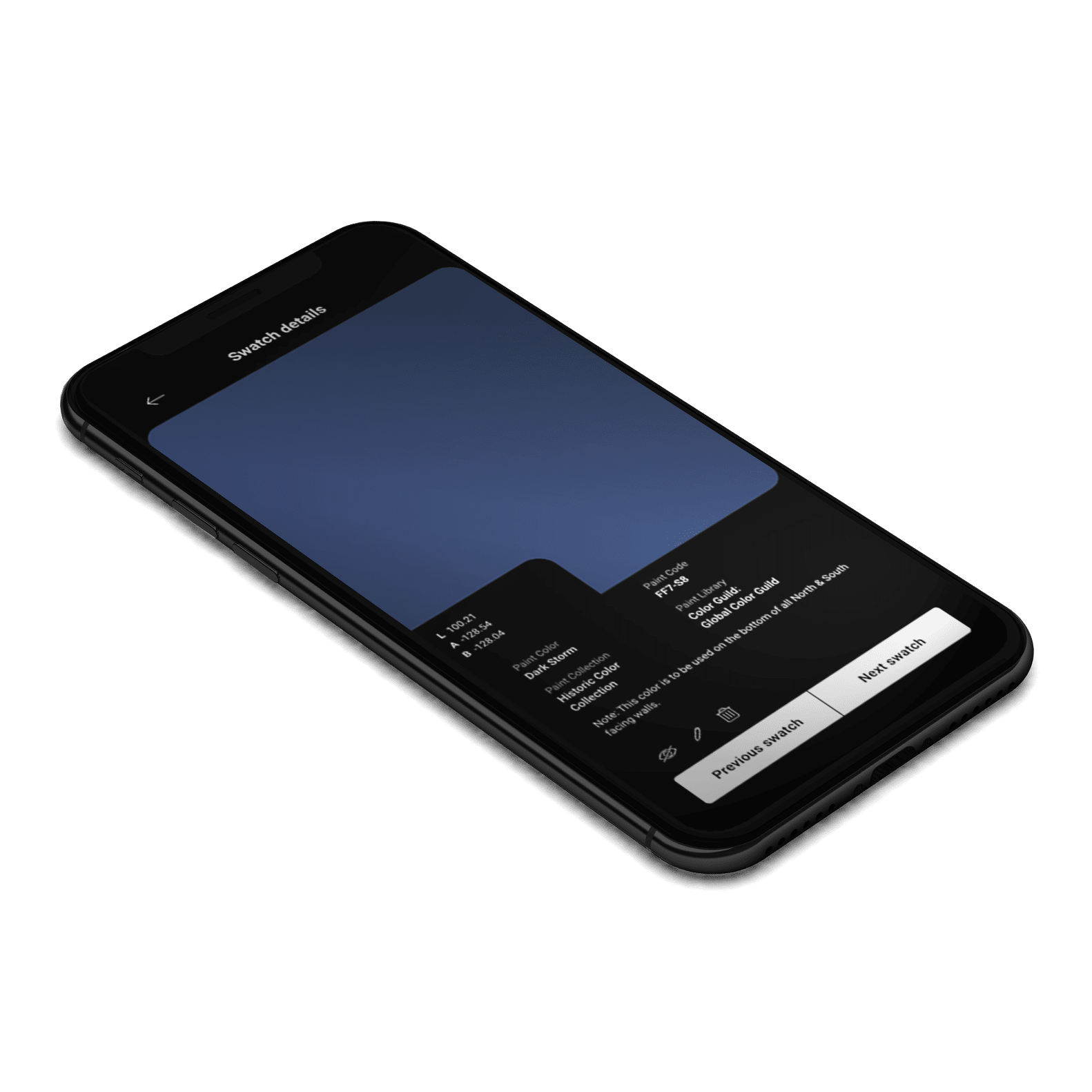
01 Once signed in, select our 'Manage and browse libraries' tool from the Nix Toolkit app homepage. 02 Next, choose 'Create & manage custom libraries' from the Manage and browse libraries selection. 03 Then select which library you'd like to manage, or create an entirely new library. 04 Browse through the selected custom library and choose a swatch for more details, or add a new color to the library. 05
By taping on the swatch, you can view more color details, and progress through your library. Review and edit notes or delete unwanted swatches.

Use cases

  • Paints and coatings
  • Print and packaging
  • Vinyl siding
  • Concrete
  • Powder coating
  • Textiles
  • Fabric
  • Leather
  • Plastics
  • Wood
  • Cosmetics
  • Liquid, powder, and gel spectral sensing with additional adapters (sold separately)
Download now or browse more features

0